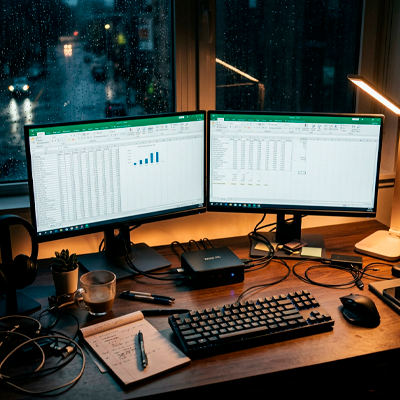
Remote workers love the idea of saving money on tech. That is exactly why cheap mini PCs exploded in popularity over the last few years. Small size, low power consumption, clean desk setup, and surprisingly decent specs for under $300 make them look like an easy win.
At first glance, many of these systems appear powerful enough for everyday work. Product pages show Ryzen processors, fast SSDs, dual-monitor support, and compact designs that barely take space on a desk.
But after a few months of real usage, many buyers realize they optimized for the wrong thing.
A mini PC that works fine for light browsing may become frustrating once daily workloads grow beyond basic office tasks. Video calls, browser tabs, cloud syncing, design tools, external displays, and multitasking pressure expose weaknesses that were invisible during the first week.
The issue is not that mini PCs are always bad. Some are excellent. The problem is that cheap mini PCs often cut costs in areas most buyers never think to check.
Thermal limits quietly reduce performance during real work
One of the biggest misconceptions around compact computers is assuming processor names tell the whole story.
A mini PC with a Ryzen 7 or Intel i7 sounds powerful on paper. Buyers compare the chip name against larger desktops and assume similar performance. That comparison becomes misleading fast.
Small systems have strict thermal limitations. Once internal temperatures rise, many mini PCs begin throttling performance aggressively to avoid overheating.
That means workloads that should take 10 minutes suddenly take 18.
Remote workers usually notice this during:
Long Zoom or Google Meet calls
Photoshop exports
Multiple Chrome tabs with video playback
AI tools running in browsers
Spreadsheet processing
Light video editing
Sustained performance matters more than short benchmark bursts, especially for people working six to eight hours daily.
Some low-cost mini PCs use tiny cooling systems that sound quiet at first but become loud under pressure. Others stay silent because the processor already reduced its speed heavily.
This creates an annoying experience where the computer technically works, but constantly feels one step behind the user.
Cheap storage and RAM choices create hidden slowdowns
Many budget mini PCs advertise impressive specs in large text while hiding weaker hardware details deeper in the product page.
You might see:
16GB RAM
512GB SSD
Ryzen processor
That sounds excellent for the price.
Then the real compromises appear later. Some systems use single-channel RAM instead of dual-channel memory, which can noticeably reduce performance in multitasking situations. Others install slower SSDs with weak sustained write speeds that degrade badly after repeated heavy use.
Cloud-based work exposes these weaknesses quickly.
A remote worker handling Dropbox syncs, Google Drive uploads, browser tabs, Slack, Spotify, and Canva simultaneously puts consistent pressure on storage performance. Small delays begin stacking together throughout the day.
The result is difficult to explain unless you experience it yourself. The computer never fully crashes, but it constantly interrupts workflow rhythm.
That matters more than many people realize.
Losing three or four seconds repeatedly during hundreds of daily actions becomes mentally exhausting over time.
Ports and monitor support become a bigger issue than expected
A lot of remote workers buy mini PCs thinking only about processor performance. Then setup day arrives and unexpected limitations start appearing immediately.
Some low-cost models advertise dual-monitor support but only support:
One monitor at full 4K 60Hz
Limited refresh rates
Weak USB-C video compatibility
Older HDMI standards
This becomes frustrating for anyone using ultrawide monitors or color-accurate displays.
There is also the issue of expansion.
A traditional desktop allows future upgrades easily. Mini PCs often lock buyers into limited configurations. Some models have soldered RAM, limited SSD slots, or unusual internal layouts that make future upgrades difficult or impossible.
That becomes expensive later because a cheap system with poor upgrade paths usually gets replaced sooner.
A buyer trying to save $250 today may end up replacing the entire computer two years earlier than expected.
That changes the math completely.
The power supply problem almost nobody talks about
One surprisingly common issue with cheaper mini PCs involves external power adapters.
Manufacturers often reduce costs here because buyers rarely pay attention to the power brick included with the device. Unfortunately, unstable or low-quality adapters can create random crashes, display flickering, USB disconnects, or startup failures that are difficult to diagnose.
Some remote workers spend weeks blaming software before realizing the actual issue comes from inconsistent power delivery.
This problem becomes even worse with:
External SSDs
USB hubs
Multiple displays
Audio interfaces
Webcam setups
A mini PC sitting behind a monitor may look clean and minimal, but unstable accessory support destroys productivity fast.
And unlike mainstream laptops from larger brands, support quality can vary dramatically between smaller mini PC manufacturers.
Many remote workers underestimate long-term workload growth
This is where many buying decisions fail.
People shop based on current needs instead of future workload expansion.
Someone who only uses Google Docs today may start:
Editing short videos
Running AI tools
Managing multiple clients
Streaming meetings
Using heavier browser-based platforms
within the next 12 months.
Technology workloads quietly grow over time.
A computer that feels “good enough” today can feel restrictive surprisingly fast once professional demands increase. The cheapest system usually has the least room to grow with the user.
That becomes especially important for freelancers and remote workers whose income depends directly on productivity speed.
Saving $300 on hardware means very little if slowdowns waste hours every month.
A slightly more expensive system often lasts dramatically longer
One overlooked insight in tech buying is that reliability itself has financial value.
A $700 system lasting six productive years can easily become cheaper overall than a $350 machine replaced every two years.
Better cooling, stronger motherboards, higher-quality SSDs, quieter fans, and stable power delivery do not look exciting in product ads. But they shape the ownership experience every single day.
That is why many experienced remote workers eventually prioritize:
Thermal stability
Upgrade flexibility
Port reliability
Noise levels
Long-term consistency
over raw spec marketing.
The irony is that cheap mini PCs usually perform best for users with extremely light workloads. Those users often would have been perfectly fine with a basic laptop anyway.
Meanwhile, the people attracted to mini PCs for “serious productivity” are often the same users most likely to outgrow budget hardware quickly.
And once workflow frustration starts affecting deadlines, meetings, or client work, the cheap purchase stops feeling cheap at all.