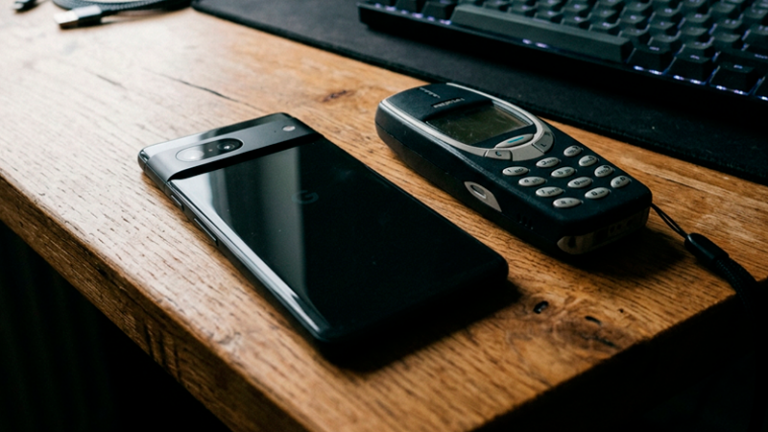
Most people assume they save money by holding onto their laptops, smartphones, routers, and other devices for as many years as possible. On the surface, that logic seems reasonable. If a computer still turns on and a phone can still make calls, replacing them may feel unnecessary.
What often goes unnoticed is that aging technology creates expenses that rarely appear on a receipt. Slow performance, security vulnerabilities, reduced productivity, compatibility issues, and higher maintenance costs can quietly accumulate over time.
A device does not need to stop working completely to become expensive. In many situations, keeping outdated technology for too long creates larger financial consequences than upgrading at the right moment.
Many households underestimate the hidden costs attached to aging devices.A machine can function while still causing significant daily inefficiencies.The longer outdated technology remains in use, the more likely it becomes that small inconveniences turn into measurable expenses.
When Small Delays Start Consuming Valuable Time
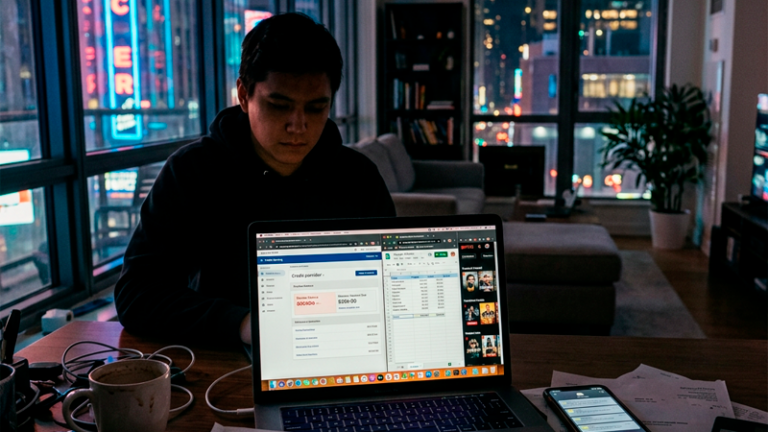
One of the least discussed costs of old technology is time. A laptop that takes three minutes to boot instead of thirty seconds may not seem like a major problem. However, when those delays happen repeatedly throughout the day, they begin adding up.
Employees working remotely often spend time waiting for applications to launch, browsers to load, files to synchronize, and updates to complete. Students experience similar issues when completing assignments or participating in online classes.
A delay of just five minutes per day may appear insignificant. Across a year, however, that can translate into more than 30 hours of lost time. For freelancers, consultants, and business owners, those hours may directly affect earnings.
Productivity losses rarely appear in household budgets, yet they can have real financial consequences.Many people focus only on purchase prices while ignoring the value of their time.A faster device can sometimes produce a larger return than its initial cost suggests.
In addition, older hardware often struggles with modern software requirements. Applications become larger, websites become more complex, and operating systems demand more resources than they did a few years ago. Devices that once felt responsive may eventually become frustrating to use.
The result is a gradual decline in efficiency that many users accept as normal, even though the problem originates from aging technology rather than personal habits.
Security Risks That Grow Every Year
Technology companies continuously release security updates because cyber threats never stop evolving. New vulnerabilities are discovered regularly, and software developers work to patch those weaknesses before they are exploited.
The challenge begins when devices reach the end of their support cycles. At that point, manufacturers may stop releasing security updates altogether.
An unsupported smartphone or computer can become an attractive target for cybercriminals seeking access to passwords, banking information, personal photos, and sensitive documents.
Security updates are not optional extras. They are an essential layer of protection.Using unsupported devices increases exposure to threats that modern systems are designed to block.Recovering from identity theft or account compromise can cost far more than replacing old hardware.
Many consumers continue using devices that no longer receive updates because everything appears normal on the surface. Unfortunately, security risks are often invisible until a problem occurs.
The financial impact of a security incident can extend beyond direct monetary losses. Account recovery, service interruptions, data restoration, and lost productivity may create additional costs that are difficult to calculate but impossible to ignore.
Repair Bills That Stop Making Financial Sense
There comes a point when repairing technology becomes less economical than replacing it.
A laptop with an aging battery might require a replacement battery. Later, the charging port fails. A few months afterward, the cooling system begins malfunctioning. Each repair seems manageable when viewed individually.
Together, however, those expenses can approach the cost of a newer and more capable device.
Many consumers fall into the trap of evaluating repairs one at a time rather than looking at total ownership costs.A series of smaller repairs can quietly exceed the value of the equipment itself.Replacing technology is not always wasteful; sometimes it is the more economical decision.
This issue becomes especially important with devices that are several generations old. Replacement parts may become harder to find, labor costs may increase, and compatibility challenges can make repairs more complex.
A computer that originally cost $700 may require $150 for a battery, $120 for a storage upgrade, and $180 for other repairs over a relatively short period. At some stage, investing that money into a newer device becomes a more practical option.
The decision is rarely emotional when viewed through a financial lens. It becomes a question of future value rather than past investment.
Modern Software Leaves Older Hardware Behind
Software developers build products for current technology, not for devices released a decade ago.
Video conferencing platforms, creative applications, security tools, cloud services, and web browsers all evolve over time. Features become more sophisticated, and performance requirements increase.
As a result, older devices may technically support modern software while delivering a noticeably inferior experience.
Users frequently encounter longer loading times, limited functionality, system crashes, and compatibility warnings. These problems can interfere with work, education, communication, and entertainment.
Compatibility issues often appear gradually rather than suddenly.People adapt to declining performance without realizing how much functionality they have lost.A device that struggles with modern applications can limit opportunities and productivity.
Remote workers may find themselves unable to run multiple applications efficiently. Students may encounter software requirements their devices cannot meet. Small business owners may face challenges integrating modern tools into daily operations.
The cost is not always measured in dollars. Sometimes it appears as missed opportunities, slower workflows, or reduced flexibility.
Energy Consumption Is Often Overlooked
Energy efficiency has improved significantly during the past decade.
New laptops, monitors, networking equipment, and desktop computers often consume less electricity while delivering better performance. Although the savings from a single device may seem modest, multiple devices operating daily can create noticeable differences over time.
Older desktop computers, particularly those built many years ago, frequently draw more power than modern alternatives.
Lower energy consumption creates ongoing savings that accumulate month after month.Modern hardware often delivers more performance while using fewer resources.Long-term operating costs deserve the same attention as purchase prices.
For households running several computers, networking devices, displays, and entertainment systems, the difference can become meaningful over several years.
While energy savings alone rarely justify an upgrade, they contribute to the broader picture when evaluating total ownership costs.
Recognizing the Moment an Upgrade Becomes the Smarter Choice
There is no universal timeline for replacing technology. Some devices remain effective for many years, while others become outdated more quickly due to changing software demands.
The key is evaluating the complete cost of ownership rather than focusing exclusively on whether a device still powers on.
Factors such as security support, repair frequency, productivity impact, software compatibility, energy efficiency, and daily reliability provide a more accurate picture of value.
Technology should support daily activities rather than create obstacles.The cheapest decision today is not always the most affordable decision over the long term.Recognizing hidden costs early can prevent larger expenses later.
When viewed from that perspective, upgrading technology becomes less about chasing the latest features and more about maintaining efficiency, security, and reliability.
A device that helps people work faster, stay protected, and avoid recurring repairs often delivers benefits that extend well beyond its purchase price.
Frequently Asked Questions
How long should a laptop typically last?
A quality laptop can often remain useful for five to eight years, depending on hardware specifications, maintenance, and software requirements.
Is it worth replacing a battery on an older laptop?
It depends on the device’s overall condition. If the computer remains compatible with modern software and performs well, a battery replacement may be a cost-effective solution.
What is the biggest hidden cost of outdated technology?
For many users, the largest hidden expense is lost productivity, followed by security risks and ongoing repair costs.
Do newer devices always save electricity?
Not always, but modern hardware is generally more energy efficient than older generations while delivering better performance.
When should a device be replaced instead of repaired?
A replacement may make more sense when repair costs begin approaching a significant percentage of the price of a newer device or when software compatibility becomes a recurring problem.
Conclusion
Technology does not become expensive only when it breaks. In many cases, the real costs appear long before complete failure occurs. Slower performance, reduced security, frequent repairs, and compatibility limitations can quietly affect both finances and daily routines.
Looking beyond the purchase price allows consumers to make more informed decisions about when to repair, maintain, or replace their devices. Sometimes the smartest financial move is not keeping technology longer. It is recognizing the moment when holding on starts costing more than letting go.
Used only with old Urchin versions of Google Analytics and not with GA.js. Was used to distinguish between new sessions and visits at the end of a session.
End of session (browser)
__utmz
Contains information about the traffic source or campaign that directed user to the website. The cookie is set when the GA.js javascript is loaded and updated when data is sent to the Google Anaytics server
6 months after last activity
__utmv
Contains custom information set by the web developer via the _setCustomVar method in Google Analytics. This cookie is updated every time new data is sent to the Google Analytics server.
2 years after last activity
__utmx
Used to determine whether a user is included in an A / B or Multivariate test.
18 months
_ga
ID used to identify users
2 years
_gali
Used by Google Analytics to determine which links on a page are being clicked
30 seconds
_ga_
ID used to identify users
2 years
_gid
ID used to identify users for 24 hours after last activity
24 hours
_gat
Used to monitor number of Google Analytics server requests when using Google Tag Manager
1 minute
_gac_
Contains information related to marketing campaigns of the user. These are shared with Google AdWords / Google Ads when the Google Ads and Google Analytics accounts are linked together.
90 days
__utma
ID used to identify users and sessions
2 years after last activity
__utmt
Used to monitor number of Google Analytics server requests
10 minutes
__utmb
Used to distinguish new sessions and visits. This cookie is set when the GA.js javascript library is loaded and there is no existing __utmb cookie. The cookie is updated every time data is sent to the Google Analytics server.